

Hi there! **HappyStates** is a minimalist State Machine tool born out of the frustration of writing repetitive boilerplate logic and the difficulty of tracking complex states as Unity projects scale.
It is currently in its early stages (v0.1), so while there is plenty of room for improvement, I will be consistently refining and updating it over time.
Why HappyStates?
There are plenty of State Machines out there, but I usually hit two walls:
- Logs usually just say “Idle -> Walk,” but I’d have to dig through code to see which
ifcondition actually triggered it. - When I saw an unexpected transition in the logs, I had to waste time searching my whole project to find where I defined that specific rule.
HappyStates fixes this with a few specific features:
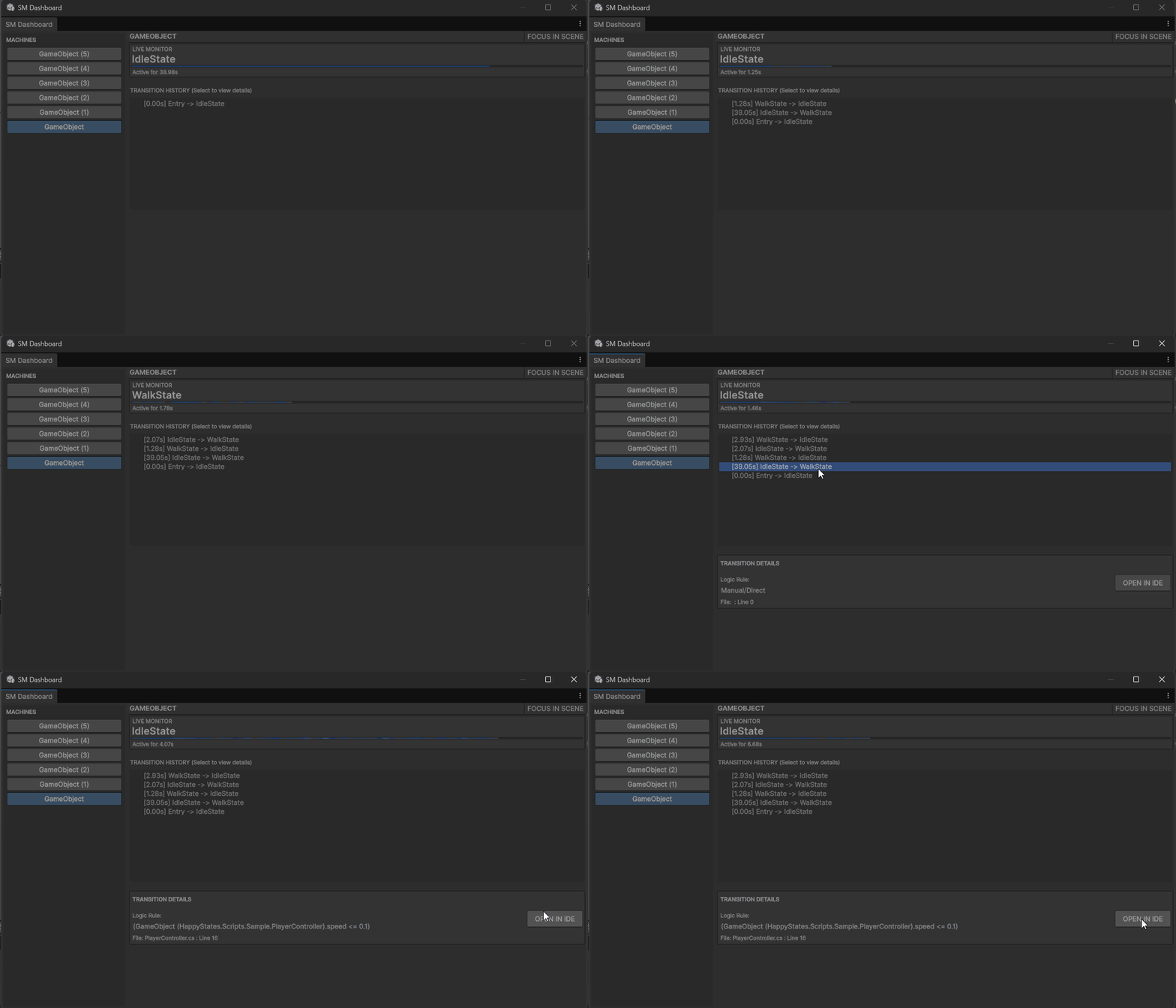
- Logic in the Logs: I used
Expression Trees. This means when you write() => speed > 5, the system doesn’t just run it—it reads the code itself and prints it to the Dashboard. You see the actual mathematical reason for the transition. - One-Click Source Jump: Every log entry on the Dashboard has an SRC button. Clicking it instantly teleports your IDE (VS/Rider) to the exact line where you defined that transition. No more “where did I write this?”
- Safety by Design: I built the
BaseStatewith a sealedOnEnterlifecycle. It handles resetting timers and internal logic automatically. You don’t have to remember to callbase.OnEnter(); the system has your back. - Clean, No-Nonsense Dashboard: No “eye-candy” icons or cluttered UI. Just a sidebar for your machines, a live monitor, and a history log with a dedicated detail inspector.
How it looks
Setting up a character’s “brain” is clean and code-first:
// No strings, no mapping, just logic.
sm.AddTransition(idle, walk, () => speed > 0.1f);
sm.AddAnyTransition(death, () => health <= 0);
When writing your states, timers are handled under the hood:
protected override void OnEnterState() {
    // Timer is already reset to 0.00s.
    // Just write what happens when the state starts.
}
Installation
Just drop the folder into your Assets directory. You can open the dashboard via Window -> HappyStates -> SM Dashboard.
If you find a bug (and you probably will) or have an idea to make it better, let me know. Let’s build it together.