

HappyEvents: Event Bus for Unity
Developed by Furkan OZKAN
Developer’s Note
I developed this tool for my personal use. I needed an optimized, ScriptableObject-based EventBus system, along with a custom interface to make tracking events easier. While I built the core system myself, I used AI assistance to handle the UI, which required some adjustments to the code.
Later, I was concerned that the Editor UI might introduce performance overhead, so I optimized it further based on the AI’s suggestions. The main reason for using WeakReferences was to prevent memory leaks in case I ever forgot to unsubscribe listeners.
HappyEvents is a high-performance, ScriptableObject-driven event management system for Unity. This framework is designed to eliminate tight coupling between game modules, providing a clean, scalable, and highly observable communication architecture.
Why Use This?
- ScriptableObject Core: No complex Singleton managers. Just create an asset and use it across scenes.
- Leak Protection (WeakReferences): Even if you forget to unsubscribe, the system uses weak references so the Garbage Collector can still do its job.
- Performance First: Zero-boxing with reference types. No unnecessary GC allocation.
- Built-in Profiler: See exactly how long each event takes to execute (in ms) to spot bottlenecks fast.
How It Was Built
I built this tool for my own needs because I wanted a clean Observer Pattern implementation without the usual boilerplate.
- The Logic: I designed the architecture to be developer-friendly and Unity-native.
- The AI Assist: I used AI to help build the Editor Interface and optimize the heavy lifting (like the
WeakReferencesystem andStopwatchtracking) to ensure the tool itself doesn’t add overhead to the project.
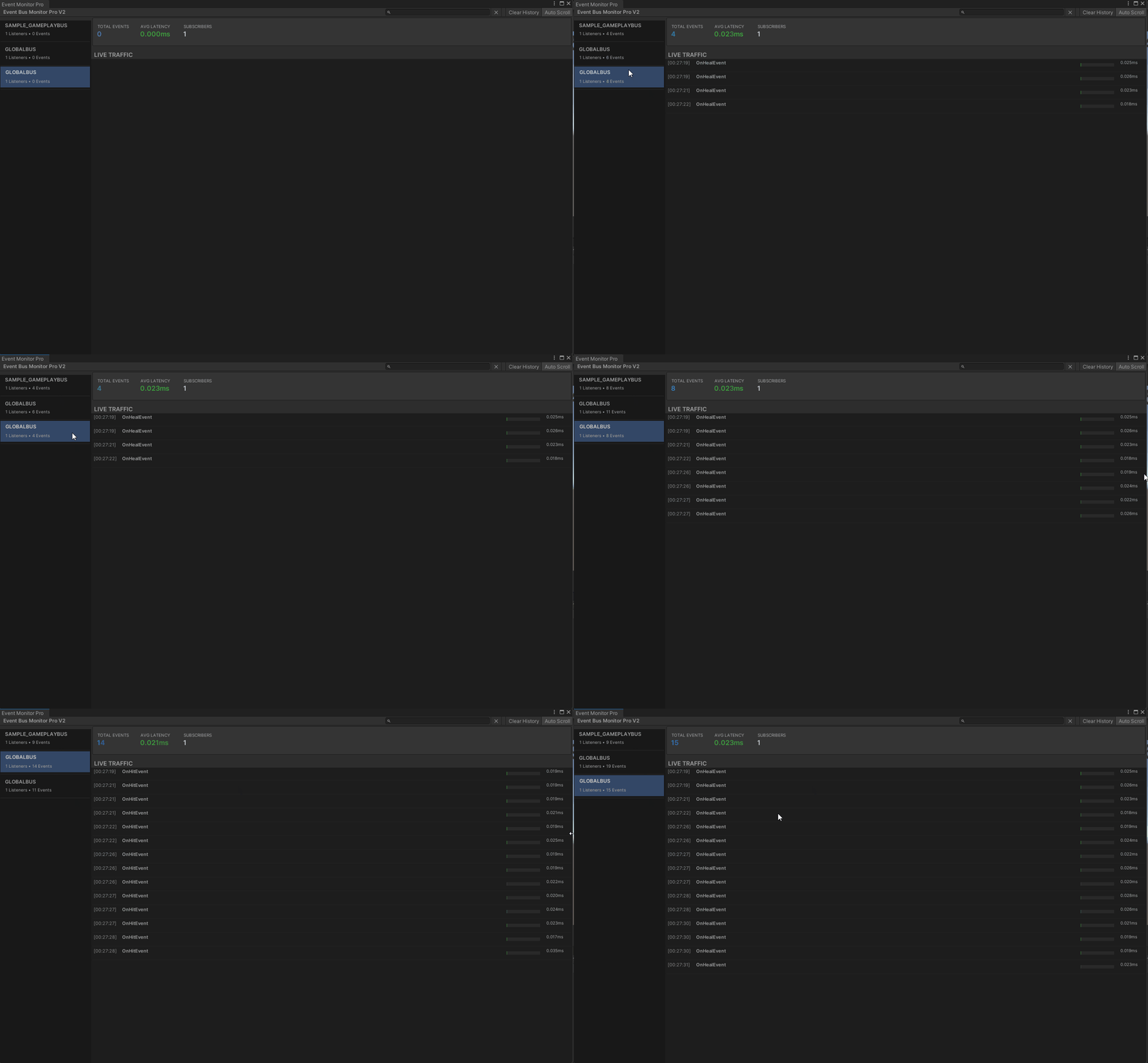
Event Bus Monitor Pro
(Editor Tooling)
A custom, modern editor interface provides full visibility into the game’s event traffic:
- 📍 Find Source
- 📜 Interactive Stack Trace
- 📊 Performance Dashboard
Project Structure
HappyEvents/
├── Runtime/         # Core logic (Instance, Registry, Subscriptions)
├── Editor/          # Advanced Debugger Tooling
├── ScriptableObjects/ # EventBus Asset wrappers
└── Samples/         # Example implementations and usage demos
Getting Started
// 1. Define an Event
public class DamageEvent : IEvent { public int Amount; }

// 2. Subscribe
busAsset.Bus.Subscribe<DamageEvent>(OnDamage);

// 3. Publish (Passing 'this' enables the 'Find Source' feature)
busAsset.Bus.Publish(new DamageEvent { Amount = 10 }, this);